
In this section, you will create Job Files in CXTM linked to Git.
This test case validates that the expected features are in fact enabled on the NX-OS devices in your topology.
From your project home page:

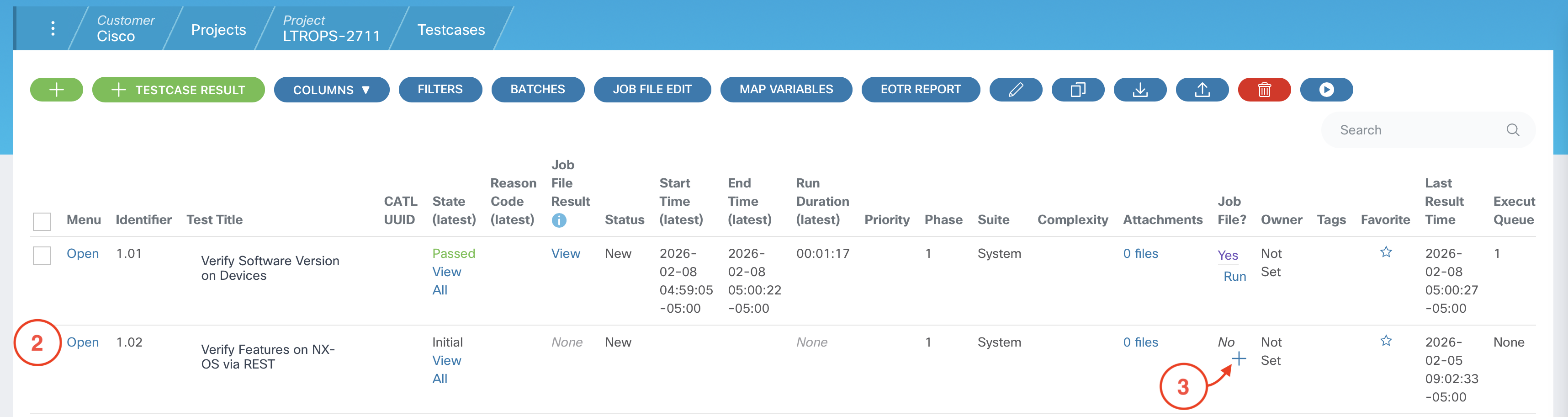

DEVICES:
    - L1
    - L2

EXPECTED_FEATURES:
    - bgp
    - interface-vlan
    - lldp

EXPECTED_STATE: enabled
cxta -n cxtm/verify_features_on_NXOS_via_rest.robot



This test case validates that the critical interfaces on the NX-OS devices are in the expected state after being configured.
From your project home page:
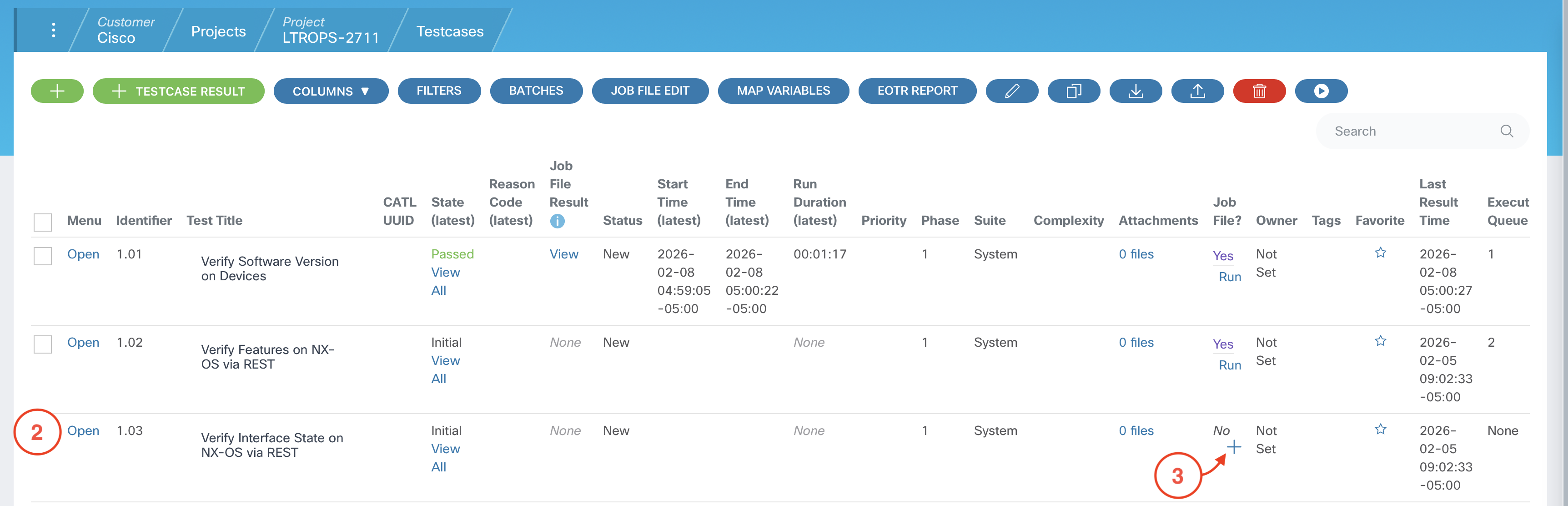

DEVICES_DATA:
    S1:
      INTERFACES:
        - Lo0
        - Eth1/1
        - Eth1/2
        - Eth1/3
        - Eth1/11
        - Eth1/12
        - Eth1/13
    S2:
      INTERFACES:
        - Lo0
        - Eth1/1
        - Eth1/2
        - Eth1/3
        - Eth1/11
        - Eth1/12
        - Eth1/13
    L1:
      INTERFACES:
        - Vlan101
        - Lo0
        - Eth1/29
        - Eth1/30
        - Eth1/31
        - Eth1/32
    L2:
      INTERFACES:
        - Vlan102
        - Lo0
        - Eth1/29
        - Eth1/30
        - Eth1/31
        - Eth1/32

EXPECTED_STATE: up
cxta -n cxtm/verify_interface_state_on_NXOS_via_REST.robot



This test case validates that the all of the BGP peers on the NX-OS devices are in the expected Established state after being configured.
From your project home page:
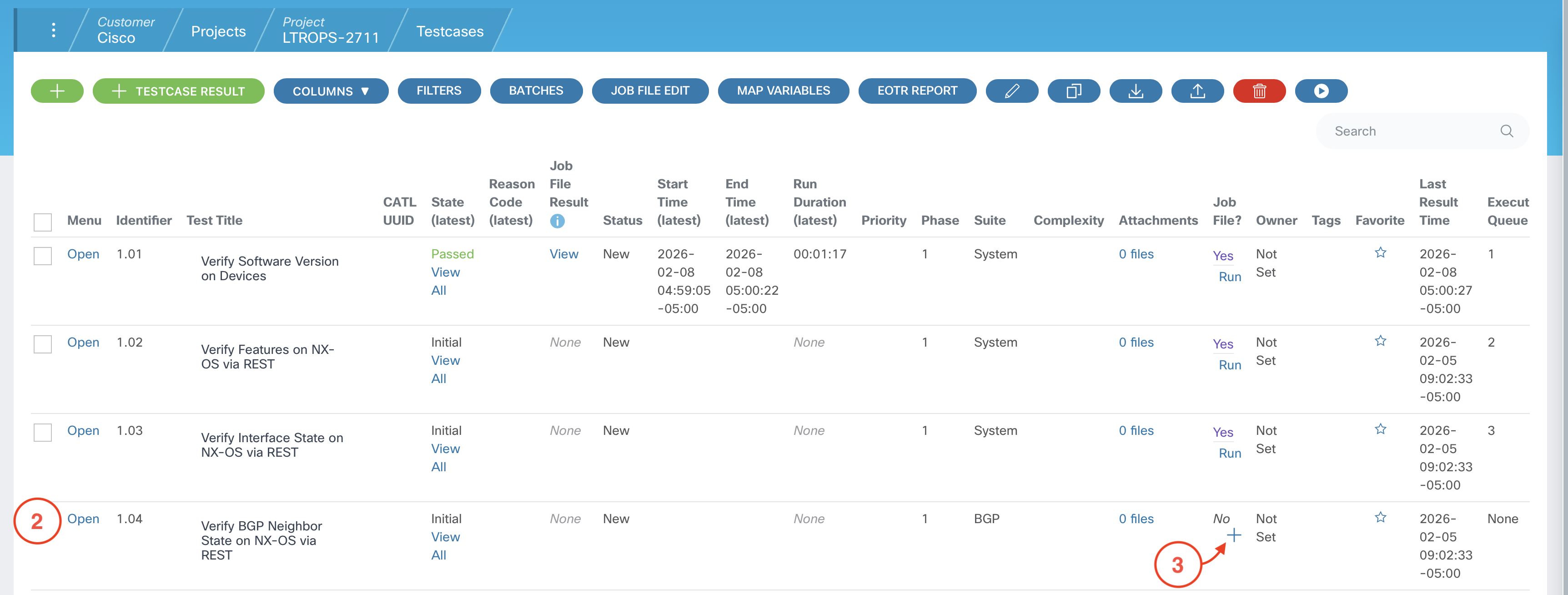

DEVICES:
    - S1
    - S2
    - L1
    - L2

EXPECTED_STATE: Established
cxta -n cxtm/verify_BGP_neighbor_state_on_NXOS_via_REST.robot


This test case validates that the expected routes are present in the route table of the NX-OS devices in your topology.
From your project home page:
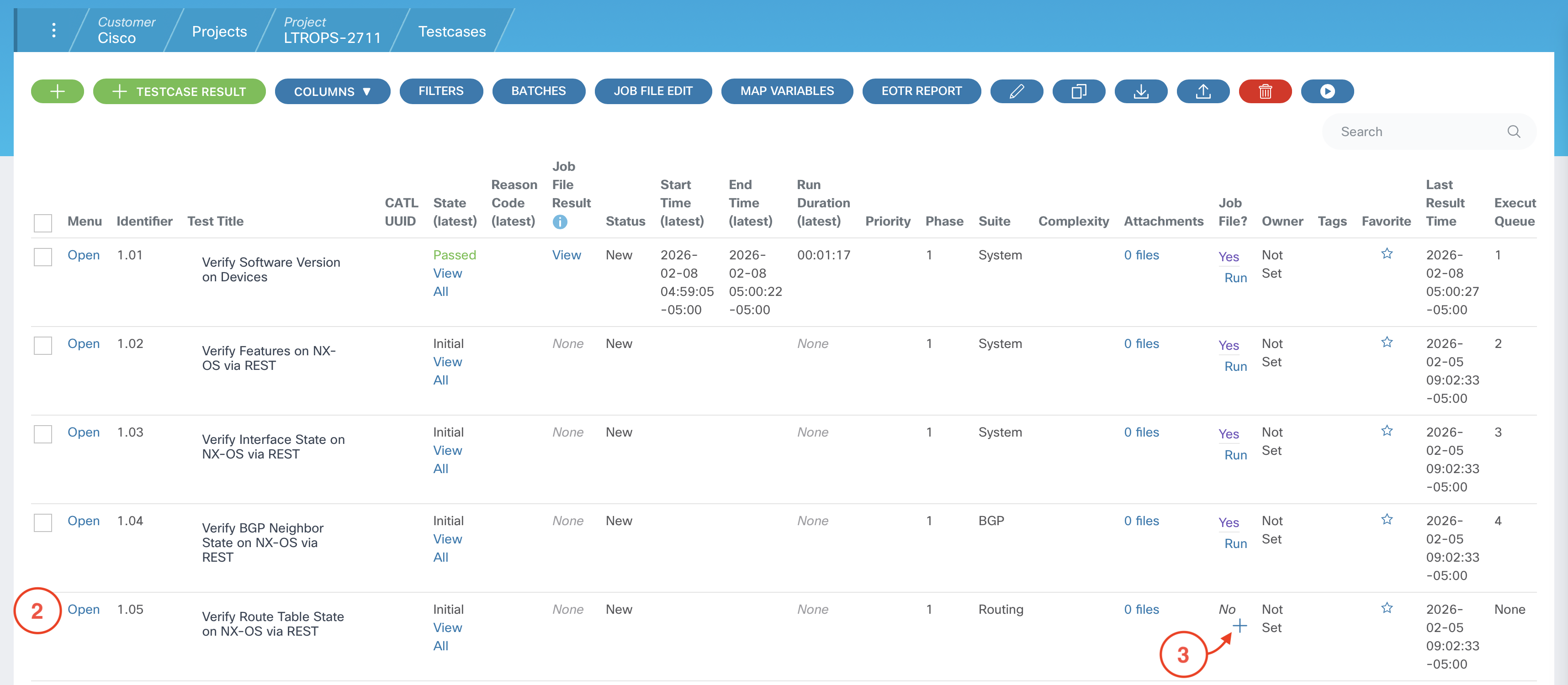

DEVICES:
    - S1
    - S2
    - L1
    - L2

EXPECTED_ROUTES:
    - 10.0.1.1/32
    - 10.0.2.2/32
    - 10.254.101.0/24
    - 10.254.102.0/24
cxta -n cxtm/verify_route_table_state_on_NXOS_via_REST.robot



From your project home page:
The test cases you have prepared in this section are examples of operational state tests that can be run post-deployment to validate that the critical features, interfaces, BGP peers, and routes are in the expected state after deployment. These test cases are used to illustrate a concept, and the suite of tests you run post-deployment in your staging environment could be expanded to include other test scenarios such as performance and scale testing, failover and convergence testing, etc. The possibilities are endless!
Continue to the next section to add these test cases to a Batch in CXTM.